New: Pattern Influence | You Decide How Much the Pattern Shapes the Room
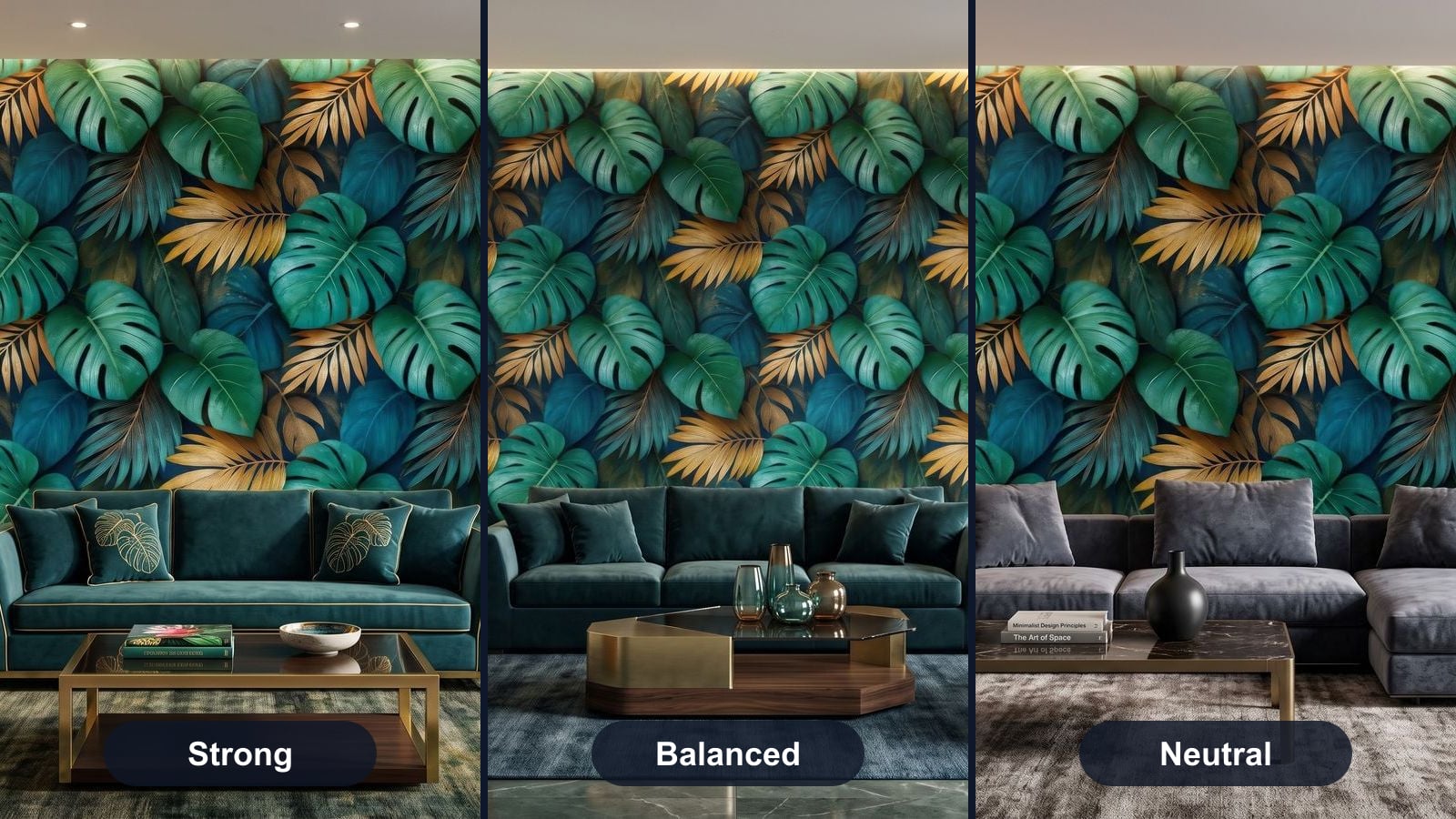
What is Pattern Influence?
When WallMockup builds a room around your wallpaper, it also styles the room: furniture, textiles, accessories. Until now the pattern’s motifs always echoed through that decor. A monstera wallpaper meant monstera cushions, monstera ornaments, monstera everything. Some designs want exactly that. Others do not. Pattern Influence lets you choose.

The control sits in the settings panel, in wide-angle and close-up mode alike. Strong is the default, so existing results look the same as before.
Three levels
🌿 Strong
The motif is the theme. Cushions, ornaments and accessories pick up the pattern’s subject. Great for statement designs, hero images and social media.
⚖️ Balanced
The decor takes its palette and mood from the pattern, but objects stop repeating the motif. The room feels designed around the wallpaper without becoming a themed set.
⬜ Neutral
The wall is the only place the pattern lives. The rest of the room stays quiet and catalog-plain, so nothing competes with your design.
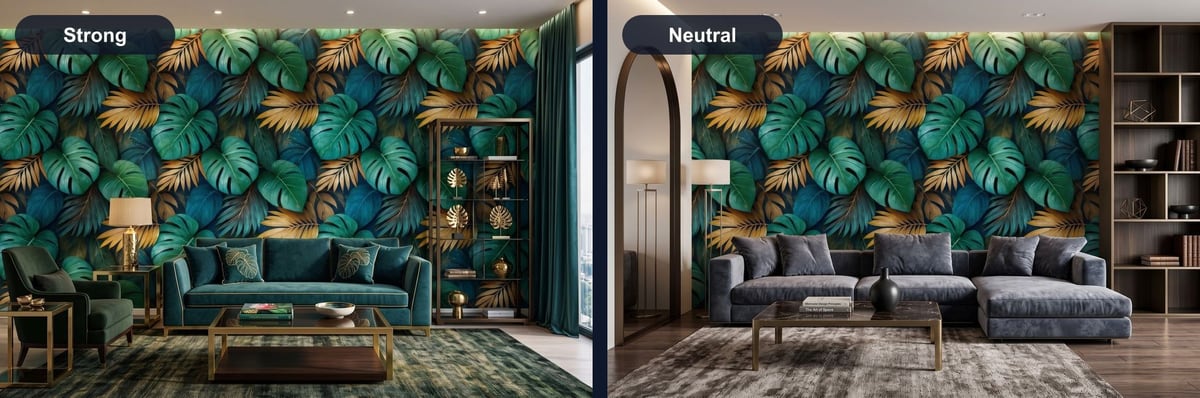
Same pattern, same room type, same settings. Strong on the left, Neutral on the right.
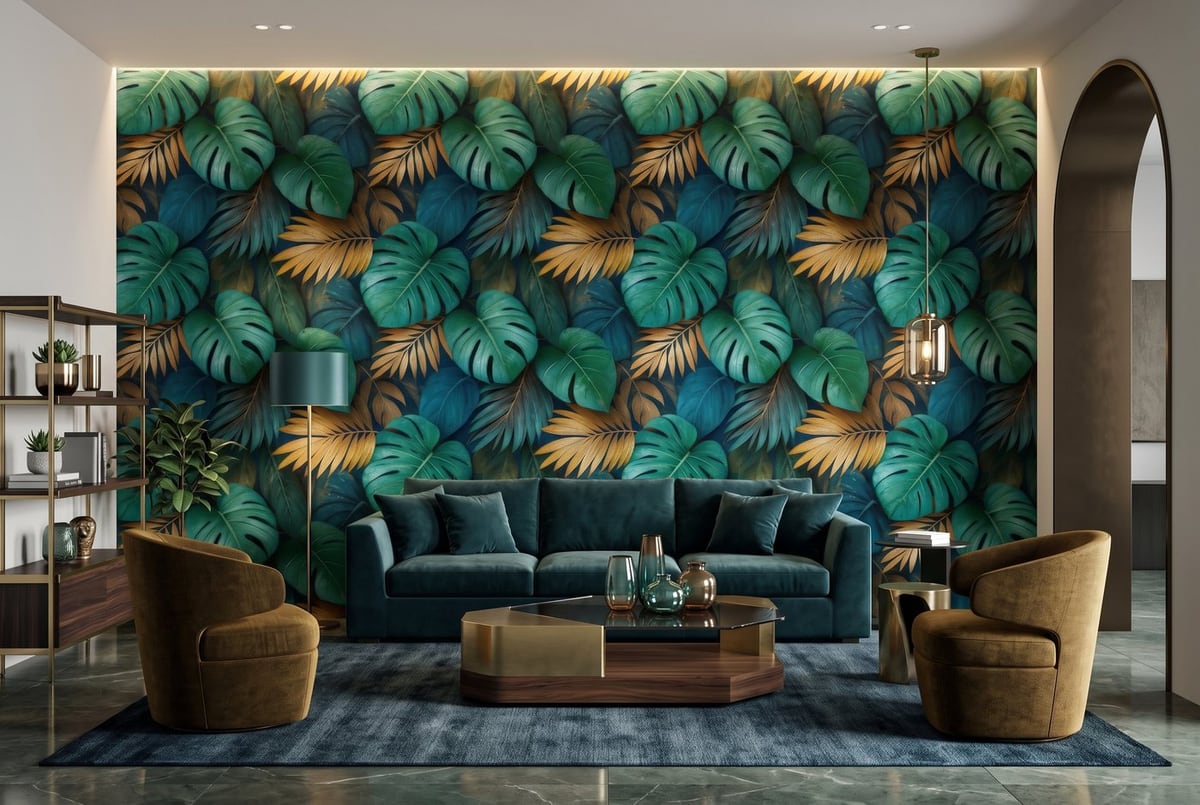
Balanced: the teal and gold of the pattern return in the sofa and the vases, but no object is leaf-shaped.
How to use
- Upload your wallpaper pattern
- In the settings panel, find Pattern Influence (available in Wide Angle and Styled Close-up)
- Pick Neutral, Balanced or Strong
- Generate. The level is saved with the image and comes back with Regenerate
Try it now
Pattern Influence is available to all users. Log in, generate the same pattern at Strong and at Neutral, and see which one sells your design better.