New Feature: Bring Your Wallpapers to Life with Close-Up Mode
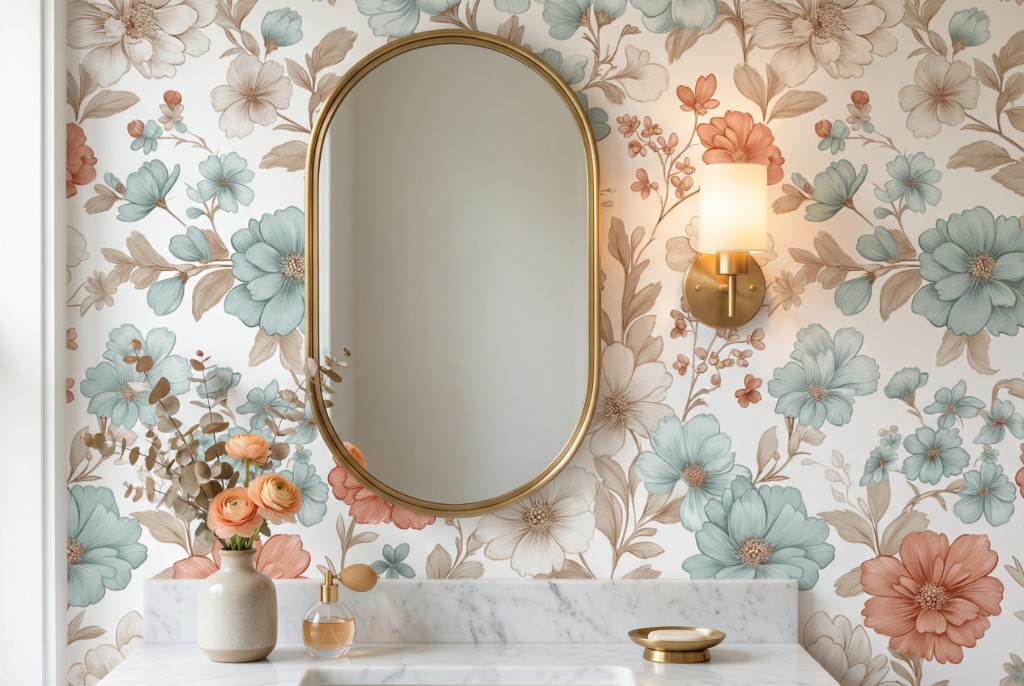
What is Close-Up Mode?
Close-Up Mode allows you to create detailed visuals that showcase your wallpaper patterns in real living spaces, styled with decorative objects. These images—looking like they've jumped straight out of an interior design magazine—make it easier for your customers to envision your designs in their own homes.
7 Different Scene Options
Specially designed scenes for every space and use case:
🪞 Console Vignette
Perfect for entryways or living rooms. Your wallpaper framed by an elegant console table, decorative mirror, and refined accessories.
🛏️ Bedroom Headboard
The most important focal point of any bedroom. Your design presented behind the bed, accompanied by bedside lamps and decorative pillows.
📚 Armchair Reading Nook
A cozy reading area created with a comfortable armchair, floor lamp, and side table.
🚿 Bathroom Vanity
A modern bathroom vanity area with mirror and stylish accessories—ideal for showcasing moisture-resistant designs.
🍳 Kitchen Shelf
A styled kitchen wall with open shelving, decorative jars, and plants.
💼 Desk Workspace
An inspiring home office setup arranged with a desk lamp and office accessories.
🎨 Pure Texture
A macro shot that highlights only the texture and details of your wallpaper—no objects, just pure design.
Why Close-Up Mode?
✅ Professional Catalog Quality
Every image is created with professional composition and lighting, just like premium wallpaper brand catalogs.
✅ Higher Conversion Rates
Customers make purchase decisions more easily when they see designs in real living spaces.
✅ Social Media Ready
Perfect dimensions and aesthetics for Instagram, Pinterest, and other visual platforms.
✅ Time and Cost Savings
Get catalog-quality visuals in seconds without professional photography sessions.
How to Use
- Upload your wallpaper pattern
- Select "Styled Close-Up" mode
- Choose your preferred scene
- Generate and download your image
Try It Now!
Close-Up Mode is now available for all users. Log in today and take your designs to the next level.
Have questions? Reach out to us through our Contact page.